How WordPress at Wealthy Affiliate Gets You Writing From Day One
WordPress is the most beginner-friendly publishing platform on the internet — and Wealthy Affiliate builds it right into the experience. Here’s what that actually means for a new affiliate marketer.
What’s on this page
Why WordPress Is the Right Tool for Beginners
If you’ve never built a website before, the idea of “creating content” can feel intimidating. What platform do you use? How do you make it look good? How do you add images, format text, or structure a post without knowing how to code?
WordPress answers all of those questions — and Wealthy Affiliate puts WordPress directly in your hands from the moment you sign up. There’s no separate installation to figure out, no hosting to configure on your own. The integration is built in, and the training walks you through it step by step.
WordPress powers over 40% of all websites on the internet. That means more tutorials, more support forums, more beginner-friendly documentation, and more helpful plugins than any other platform. When you learn WordPress at Wealthy Affiliate, you’re picking up a skill that transfers anywhere.
Publishing a live website on your own domain requires a Wealthy Affiliate paid subscription. Free members do get access to a real practice environment — the SiteRubix site described below — which is a genuinely useful way to learn WordPress before committing. But if your goal is a live, indexed website that Google can find, you’ll need to upgrade at some point.
Start Free with a SiteRubix Practice Site
The Free SiteRubix Site
A real WordPress environment to learn on before you commitFree members at Wealthy Affiliate get access to a SiteRubix website — a fully functional WordPress site hosted on a subdomain (something like yoursite.siterubix.com). It’s not a demo or a limited sandbox. It’s a real WordPress installation where you can write posts, install plugins, explore the block editor, and get comfortable with the whole workflow.
For a total beginner, this is genuinely useful. You can spend your first days — or weeks — writing practice articles, experimenting with formatting, and learning how WordPress works without any financial pressure. By the time you’re ready to upgrade and go live on your own domain, the platform already feels familiar.
The Block Editor — Your Content Design Toolbox
WordPress uses what’s called the block editor to build posts and pages. Instead of typing into a plain text box, you work with individual content blocks — each one a self-contained element you can add, move, and style independently.
Think of it like assembling a post from visual pieces rather than writing raw code. You click a button to add a new block, choose the type you want — a paragraph, an image, a heading, a pullquote — and then format it using the options in the toolbar or sidebar. No HTML required at any point.
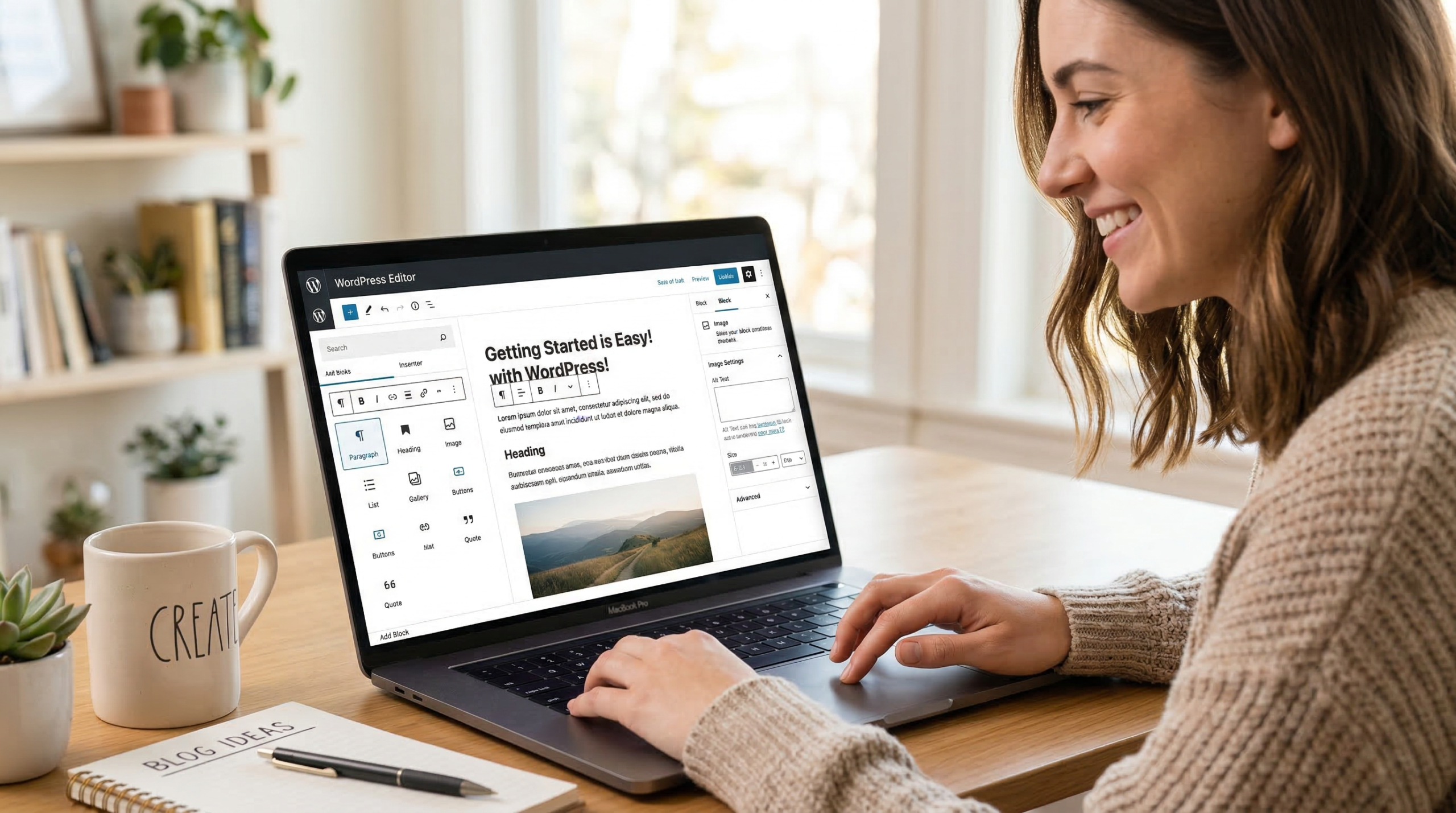
You write a paragraph, then click the + button to add an image block below it. You upload your photo, adjust the size, add a caption. Then you add a pullquote block to highlight a key point. Then a new paragraph with a green background to make a tip stand out. Each element is its own block — easy to rearrange, easy to style, and the result looks genuinely polished without touching a line of code.
Block Editor Features That Make Posts Look Professional
The block editor comes loaded with formatting tools that most beginners don’t realise are available. Here’s what you’ll actually use when building affiliate content:
🖼️ Image Blocks
Upload images, control sizing and alignment, add captions, and set alt text for SEO — all without leaving the editor.
💬 Pullquotes
Highlight a key sentence or stat in a styled pullquote. Breaks up long content visually and keeps readers engaged.
🎨 Background Colors
Add colored backgrounds to individual blocks or whole sections. Great for callouts, tips, or drawing attention to important content.
✏️ Text Colors & Sizes
Adjust font size and color at the block or inline level — no CSS needed. Easy way to create visual hierarchy in any post.
📐 Spacing Controls
Fine-tune padding and margins on any block. Clean spacing is one of the biggest differences between amateur and professional-looking posts.
📋 Tables & Lists
Insert formatted tables and styled lists with a single click — perfect for product comparisons and roundup articles.
Plugins That Do the Heavy Lifting for You
One of WordPress’s biggest advantages is its plugin library — tens of thousands of free plugins that extend what your site can do. You don’t need most of them, but a handful are genuinely useful for affiliate sites right from the start.
It’s tempting to install a plugin for everything — but more plugins means more potential for conflicts, slower load times, and more maintenance. Start with the essentials above and only add more when you have a specific problem that genuinely needs solving. A lean, fast site outperforms a feature-heavy slow one every time.
The Training That Ties It All Together
Wealthy Affiliate’s Step-by-Step WordPress Training
You don’t have to figure any of this out on your ownWhat makes WordPress at Wealthy Affiliate particularly beginner-friendly isn’t just the platform itself — it’s the structured training that walks you through every part of it. The core training is built as a sequential course, taking you from setting up your site to publishing your first post to understanding SEO basics, one clear step at a time.
Each lesson is focused and practical. You’re not watching a two-hour tutorial before doing anything — you’re completing a specific task, like uploading your first image or writing your first post, and then moving on. By the time you’ve worked through the early modules, you’ll have a functioning site with real content already published on it.
For anyone who has tried to learn web publishing on their own and stalled out from information overload, the guided structure here is a genuine difference-maker. The combination of WordPress’s intuitive interface and WA’s step-by-step training removes most of the barriers that stop beginners before they even get going.
Dave
Helpfulaffiliate.com